How to Add an Event to the Foojay Event Calendar

 2 min read
2,590 views
2 min read
2,590 viewsFoojay.io, the place for Friends Of OpenJDK, is a friendly community of users of the OpenJDK, such as Java developers and Kotlin developers. It is a collaborative community with tips and insights being shared on a daily basis on Foojay Today.
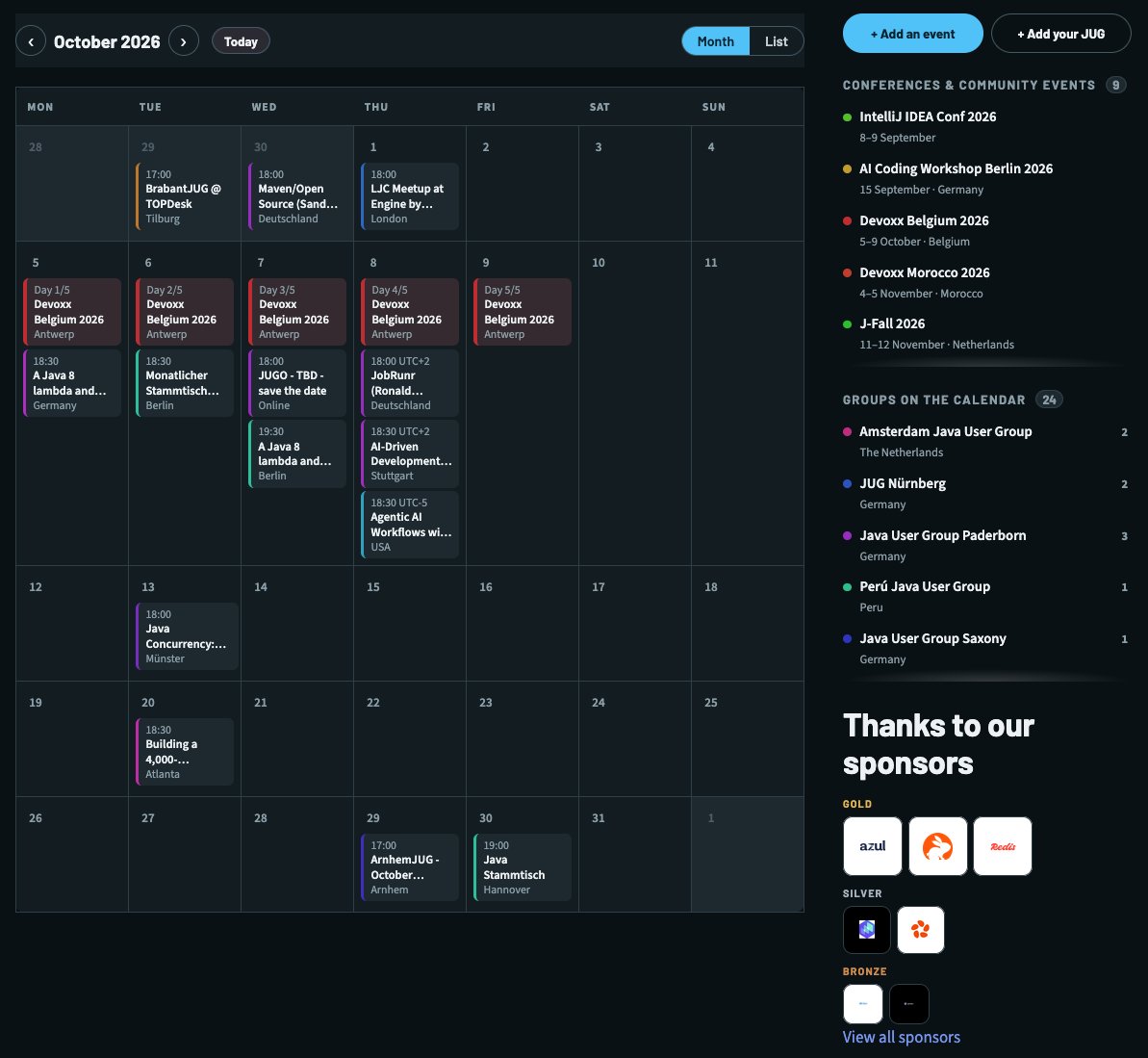
At Foojay, we maintain a list of upcoming Java-related events. It helps the worldwide OpenJDK community find events and participate in them easily.
You will find all the events in the following link:
Updated: foojay.io no longer runs on WordPress, so events are no longer added through a login. The steps below are the current ones.
If you want to add an event to our calendar or advertise your event on Foojay.io, there are two routes, and which one you need depends on whether your event already publishes a calendar feed.
A JUG meetup: Fully automated!
If you run a Java User Group, foojay picks your meetups up automatically from the calendar your group already publishes: your own site’s iCal feed, a Google Calendar, or Meetup’s own export. Nothing has to be sent to us, and nothing has to be kept in step.
All that is needed is that your JUG is listed in the community-run
World Wide JUGs directory,
with a calendar: or meetup_slug: entry. That list is maintained by the JUG
leads themselves, and Foojay reads it once a day.
A conference, workshop,…: One small file
A conference publishes no feed anyone can subscribe to, so those are added by hand — as a pull request against the site, which is also how articles are submitted:
- Copy
template/event.yamltodata/events/<event-slug>.yaml. - Name the file after the event including its year —
devoxx-belgium-2026.yaml,jfokus-2027.yaml. Next year’s edition is a new file, not an edit of this one. - Fill it in and open a pull request.
name: "Devoxx Belgium 2026"
type: "Conference"
url: "https://devoxx.be/"
start: "2026-10-05"
end: "2026-10-09"
venue: "Kinepolis Antwerpen"
city: "Antwerp"
country: "Belgium"
Only name, url, start, city and country are required, and city/country
can be left out for an online event. Everything else the calendar shows is worked
out for you: the colour, the band across the days a multi-day conference runs,
and the counts in the page header. You never have to come back to remove the
file either — an event drops off the calendar by itself the day after it ends.
The full field reference is in CONTRIBUTING.md, and if you would rather not open a pull request yourself, ask in the Foojay community on Slack and someone will do it for you.
Found a mistake, or something to add? Edit this page on GitHub

A N M Bazlur Rahman
A N M Bazlur Rahman is a Software Engineer with over a decade of specialized experience in Java and related technologies. His expertise has been formally recognized through the prestigious title of Java Champion. Beyond his professional commitments, Mr. Rahman …

Frank Delporte
Frank Delporte is a Java Champion, Java Developer, Senior Technical Writer at Azul, Blogger, Author of "Java Programming for Raspberry Pi - A Hands-On Guide to Electronics and IoT Projects", and Open-Source Contributor for Pi4J, Lottie4J, Sheetmusic4J, …